Edit a dashboard user
User roles can be changed at any moment after already being created. Note that only Builder and Owner users can modify user roles.
-
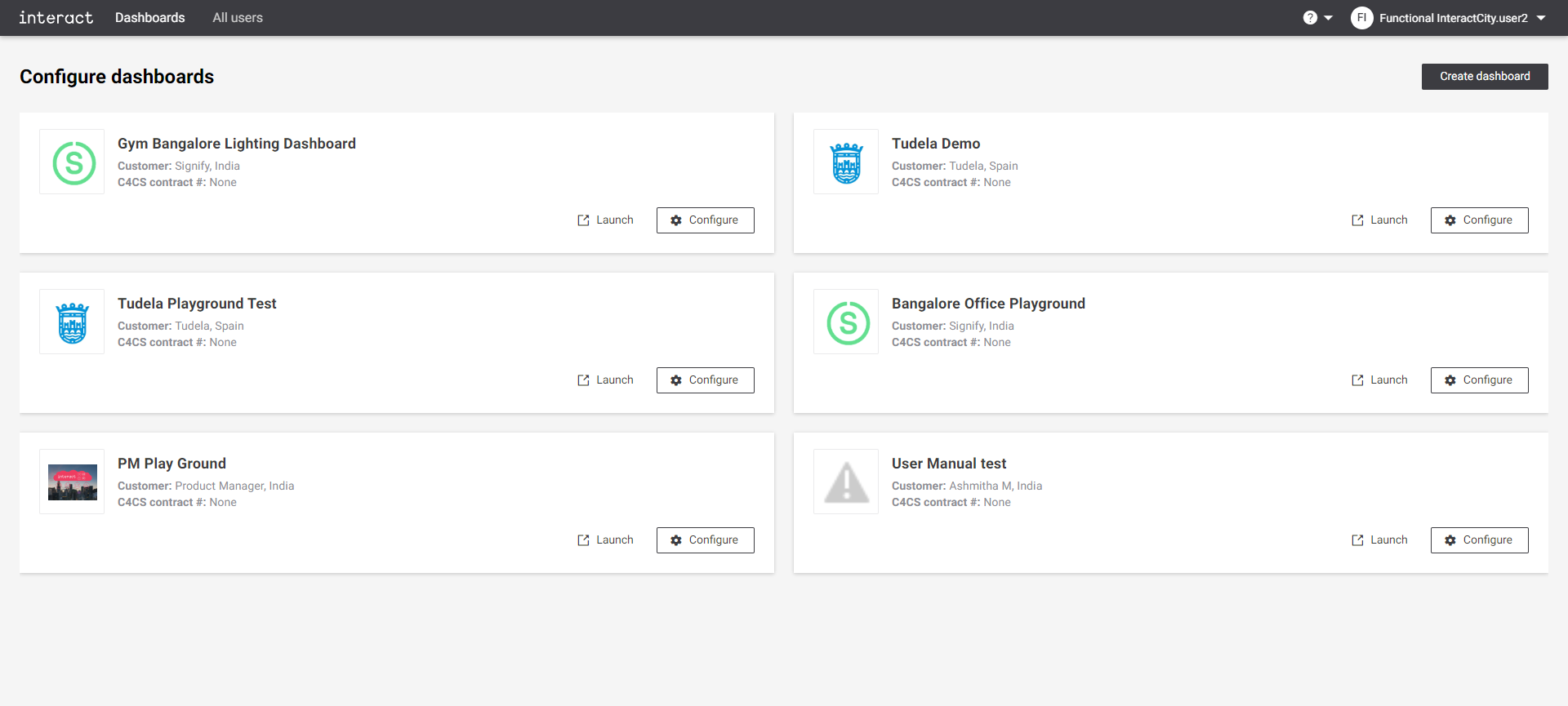
Log in to Custom Dashboard and click the
 button on the appropriate project.
|
If the user requires access to multiple dashboards, the process must be repeated per dashboard. |
-
Click the Users tab. It shows an overview of the list of users and their role for the dasboard.
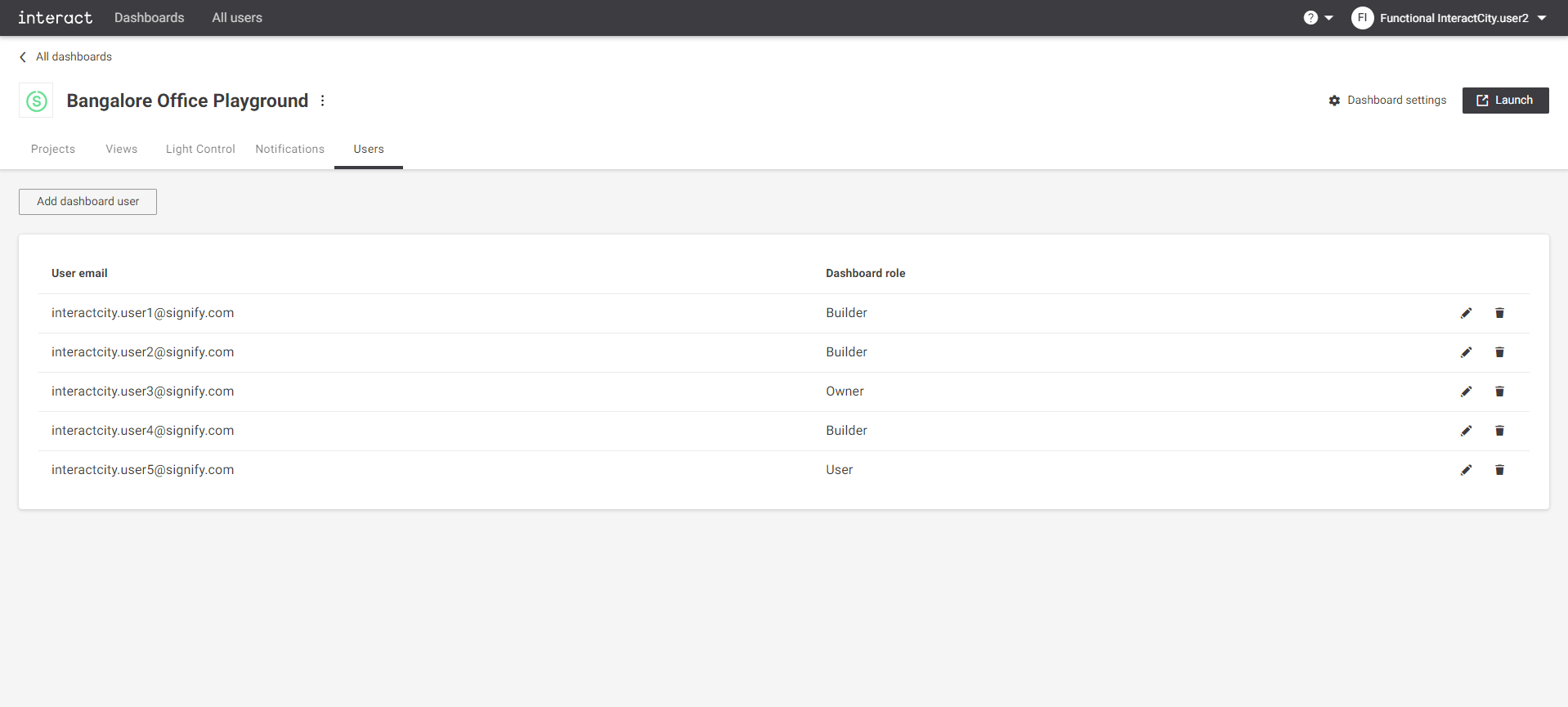 Configure playground Users
 -
Click the
 icon next to the user to edit a user role. A dialog pops up to edit the user role. Updated it and click the Send invite button.
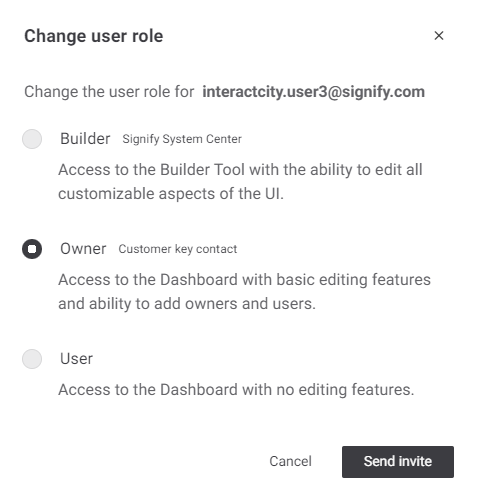 Change user role
 -
The user receives a confirmation email for user role change. At the moment the user logs in again to the application, the appropriate features are available as per the user role.
|
Users must to log out and log in again to see the functionality change. |